

Our previous post about prompting covered the basics: give your LLM enough context and specific instructions, and you will get dramatically better results. Now let us apply that to a real regulatory task that used to eat up entire afternoons.
When a new guidance document drops (like the FDA's Clinical Decision Support Software guidance, 27 pages), the first thing we need to do is understand what is actually required and figure out where the gaps are. That usually means reading the whole thing, highlighting as we go, and manually building a requirements checklist in a spreadsheet. It works, but it is slow.
Here is what we can do now: paste the document into any LLM with a reusable prompt we built for extracting requirements from regulatory documents.
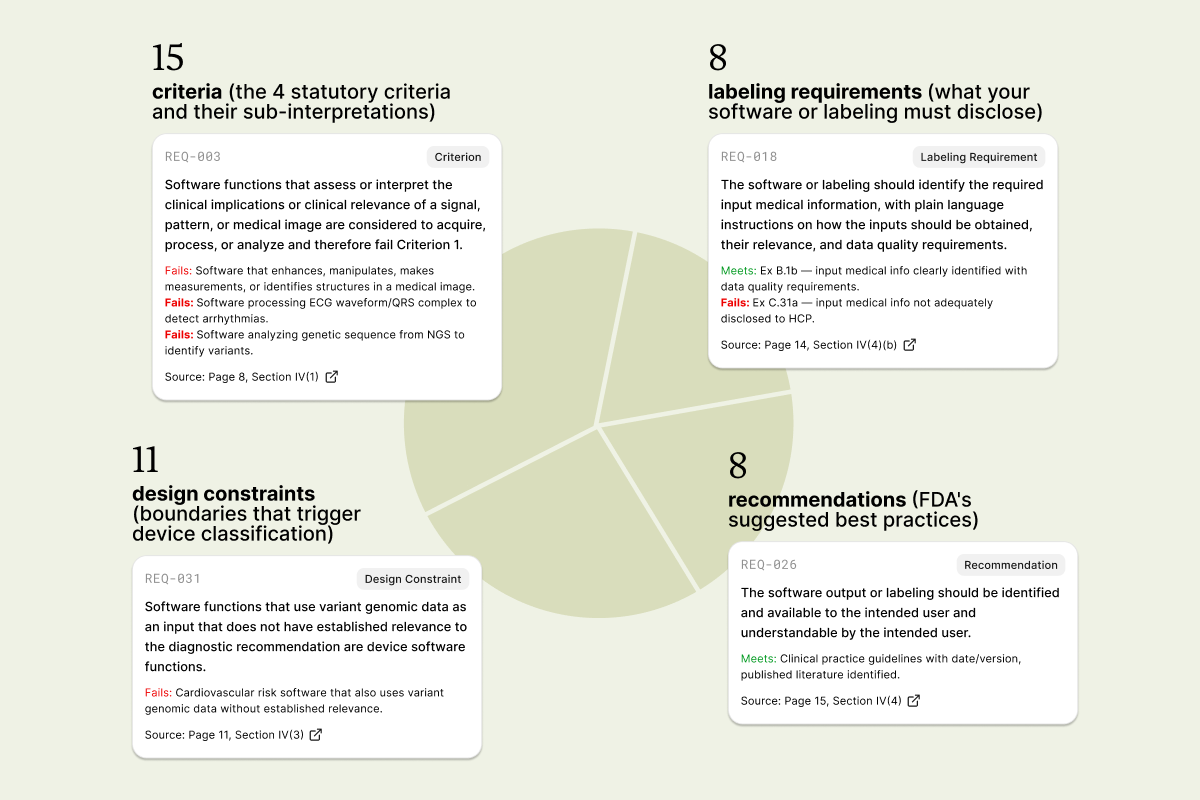
On the CDS guidance, we end up with 42 requirements in about 2 minutes:
- 15 criteria (the four statutory criteria and their sub-interpretations)
- 8 labeling requirements (what your software or labeling must disclose)
- 11 design constraints (boundaries that trigger device classification)
- 8 recommendations (FDA's suggested best practices)
Each row is traceable back to a specific page and includes compliance or non-compliance examples straight from the guidance.
The prompt is reusable. We have run it on ISO standards, MDCG documents, and other FDA guidances, and the output always follows the same structure. This means gap analyses always start from a consistent format regardless of the source document.
The catch: this is an extraction, not a replacement for reading the guidance. We always verify the output against the source, especially for anything going into a submission or audit response. But instead of starting from a blank page, we are starting from a structured draft that is 80–90% there.
Next step: take that requirements table and compare it against your own documentation to run a gap analysis.